
Set/View Your Tax Reporting Cycle
For Flow 10 B2Bi and B2C
Where to find the E-reporting info in MyBillit
Via My company, E-reporting you will be able to view the E-reporting information:
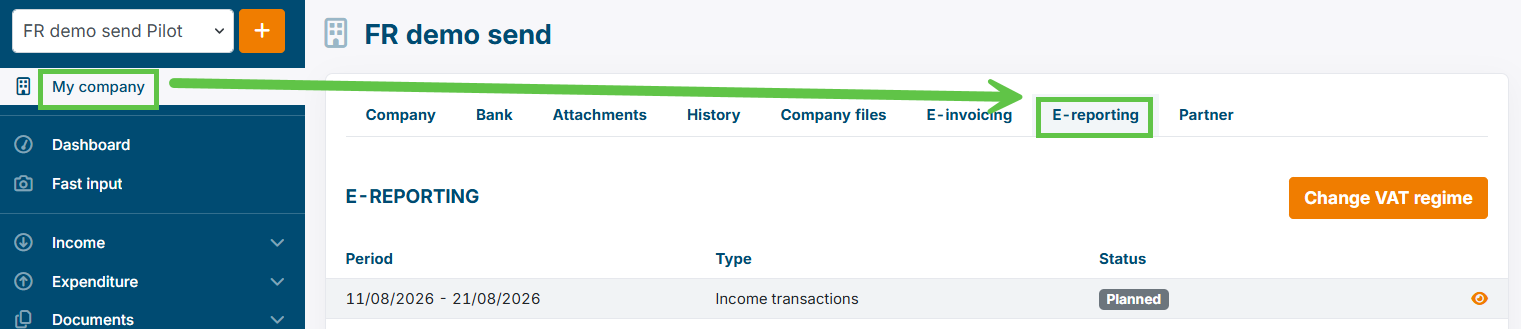
If the E-reporting tab does not appear , then your integration for France e-invoicing is not yet completely active.
| Environment | E-invoicing for France integration tile | Required Status | Availability |
|---|---|---|---|
| Sandbox | active or not active | Account Ready | yes |
| Production | active or not active | Account Ready | yes |
About the TAX Reporting Cycle
About the Tax Reporting Cycle:
- For Each company a periodicity of Reporting is applicable.
- This can be activated in the MyBillit interface.
- It is a one time activation.
| Reporting Cycle Choices at Billit | French Name |
|---|---|
| StandardRegimeMonthly | Régime réel normal mensuel |
| StandardRegimeQuarterly | Régime réel normal trimestriel |
| Simplified Regime | Régime simplifié d'imposition TVA |
| VATExemptTreshold | Régime de franchise en base de TVA |
In case of the StandardRegimeMonthly, the timings are the following:
| Invoice period based on Invoice date | Date of submittal of the Report |
|---|---|
| First Decade : 1 - 10 of the month | 21st of the month |
| Second Decade : 11 - 20 of the month (including 20, not 21) | 1st of next month |
| Third Decade : 21 - end of the month (including 21) | 11th of the next month |
What date in Billit triggers the e-reporting
- the creation date in Billit (not the invoice date)
- When you upload the invoice with an invoice date after the reporting period, Billit will add this invoice in a later e-reporting period. this is allowed.
About the upcoming Reporting Date
How will the next reporting date appear :
| Status | Behaviour |
|---|---|
| Select the Tax reporting cycle for the first time | Next reporting date will be set after saving |
| After a successful tax reporting | The next reporting date will be set after terminating the next E-report cycle |
You cannot set the date yourself.
Is August 2026 e-reported in production ?
No. When you have e-reporting active, the start will be related to the September 2026 period.
Updated 26 days ago
Did this page help you?