
Self-Billing Sending on My Billit Portal
What you can see on the Billit User Interface
General Billit Help information:
- Creating: https://www.billit.eu/en-int/help-page/expenditure/self-billing/?q=self-billing#f-5
- Receiving : https://www.billit.eu/en-int/help-page/income/receiving-self-billing-invoices-from-customers/
Supplier/Seller Registers for Self-Billing Receiving
The supplier/seller is the receiver of the self-bill, and has to register the Self-bill invoice receiving capability on Peppol.
This can be Launched from the Settings/General screen: (only needed when sending)

This allows :
- To launch the Peppol registration for the document type Self-bill
- When your Peppol registration is via Billit : Self-bill document types will be added to the registration
- When your Peppol registration is not via Billit :
- Self-bill document types will not be added to the registration by Billit as there is no registration at Billit
- Self-bill will be sent, and can be displayed in Billit. Via API you can GET the UBL file.
- To activatie Self-Billing on the Billit user interface
Supplier/Seller Registers for Self-Billing Receiving : Alternative Method on sandbox
If the supplier is using Billit, the receiving registration can be done in MyBillit via Settings / Integrations / Peppol Acces Point. On the sandbox the Self-Bill document types can be selected:
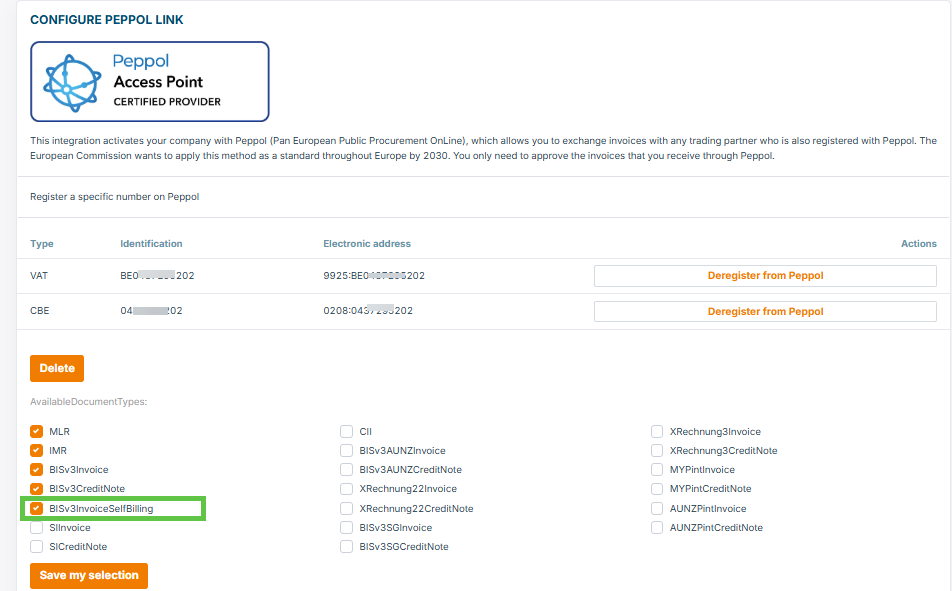
On production the Self-Bill document types are automatically set when you are registered on Peppol and the Self-Billing setting is active.
View on the Screen - Self-Bill Invoice - Customer/Buyer
The Customer can view in the detail screen (Expenditure, Invoice) that it is a Self-bill Invoice:

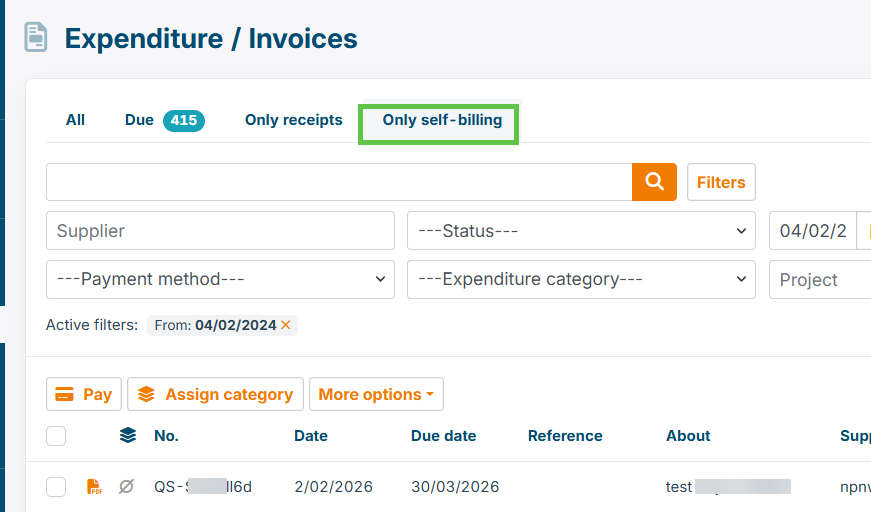
The List of Expenditure Invoices contains a view to only view the Self-Bill invoices:
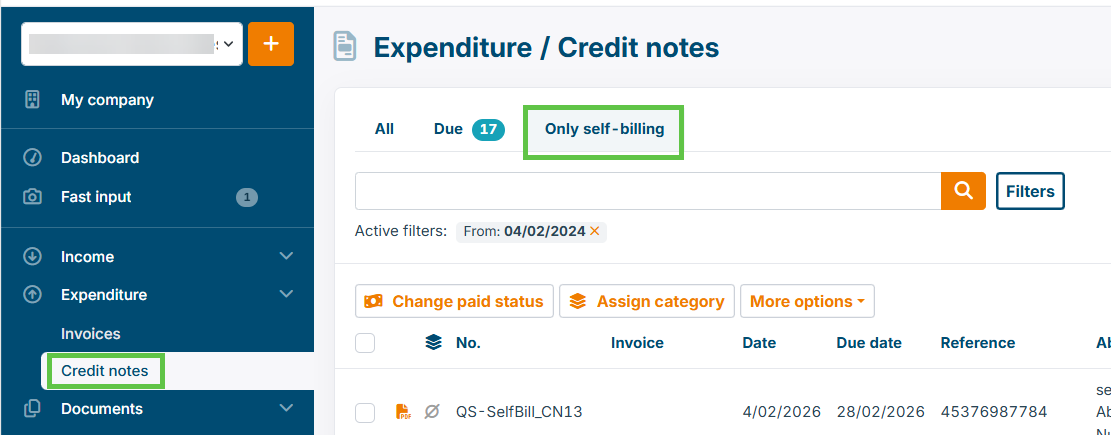
This filter is also existing for issued self-bill credit notes:
Updated 7 months ago