
Other User must Verify
User in Billit is not a legal represenative. How to verify the company ?
Options
When the person who must do the identification (legal representative) is not yet a user at Billit, then there are 2 options:
- Method 1 : launch activation from MyCompany screen
- Method 2 : an additional user must be created. If needed, after identification, the user can be deactivated (no extra costs for user).
Method 1 : Launch Verification from MyBillit User Interface
This method is available since 17/12/2025.
Go to My Company, Company:
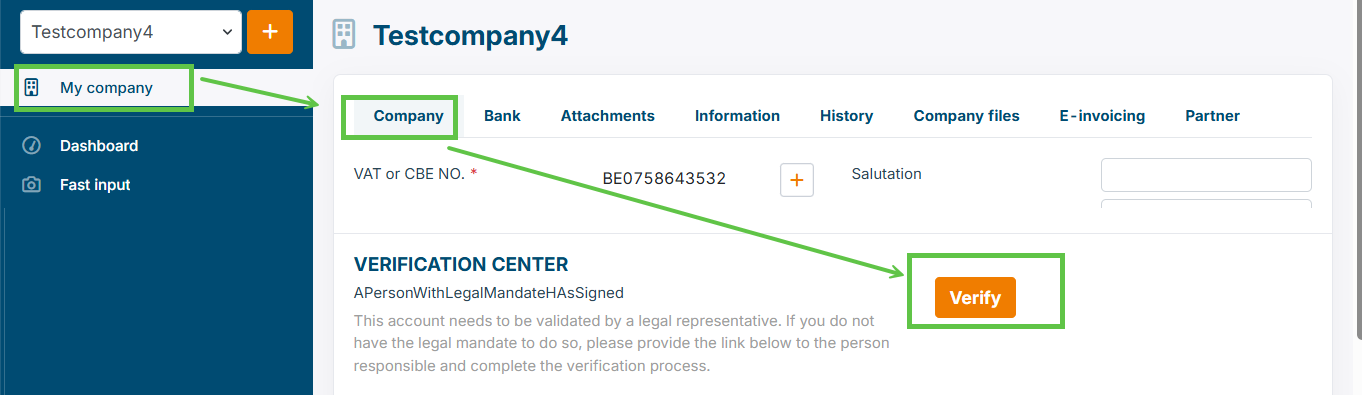
And launch the pop-up screen via the Verify button:
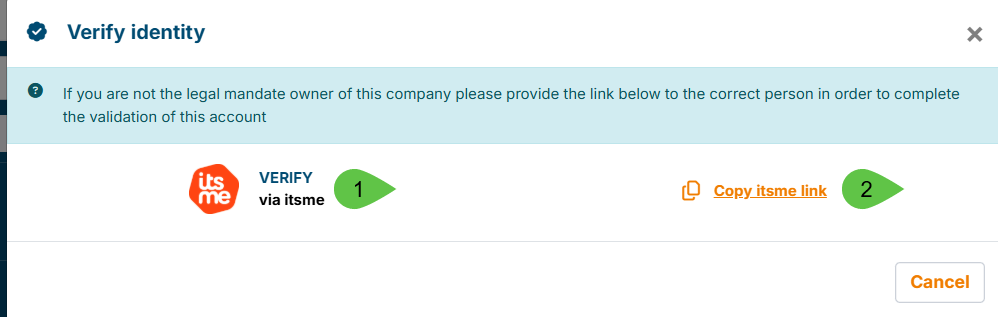
Options:
- Verify via Itsme : barcode or phone number allow to launch verification for the legal representative
- Copy itsme link : a link that can be included in a message to the legal representative
Method 2 : Create and Activate the User
In Settings, Users, start User Creation:
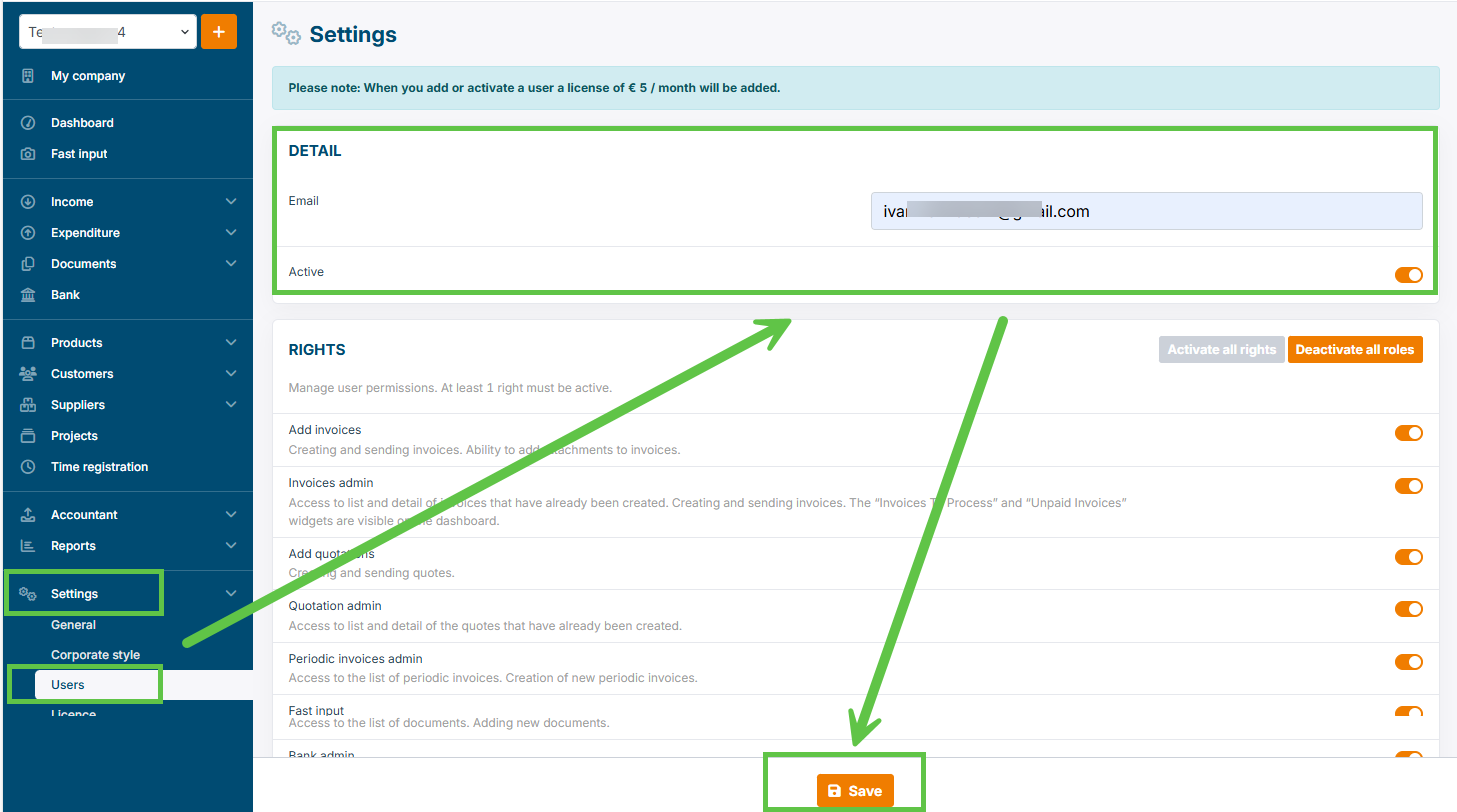
A confirmation will be displayed that process is initated
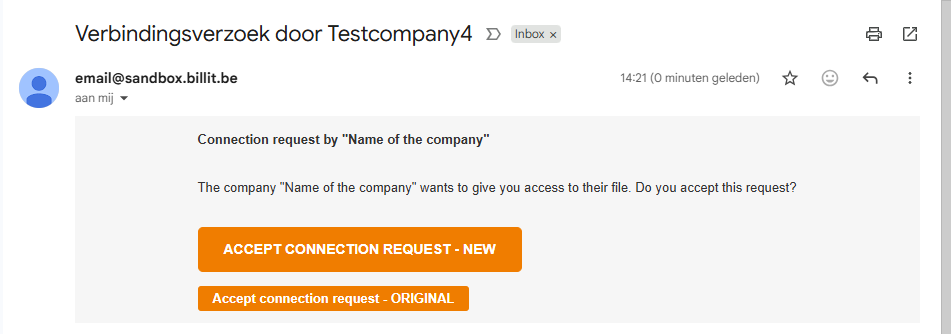
Link request sent to user: [email protected]
Link:
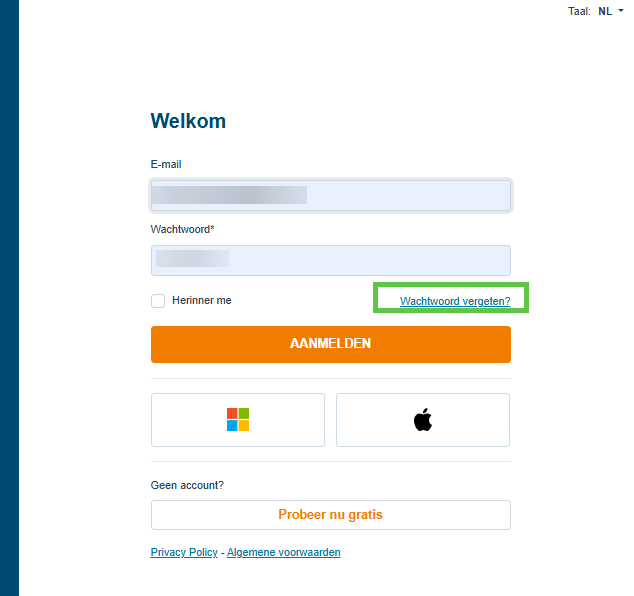
Forget password:
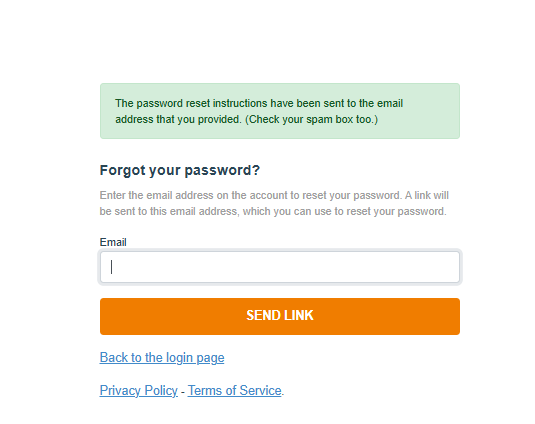
Confirmation forget password:
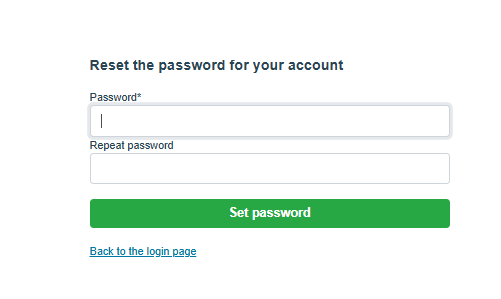
Fill in new password and confirm
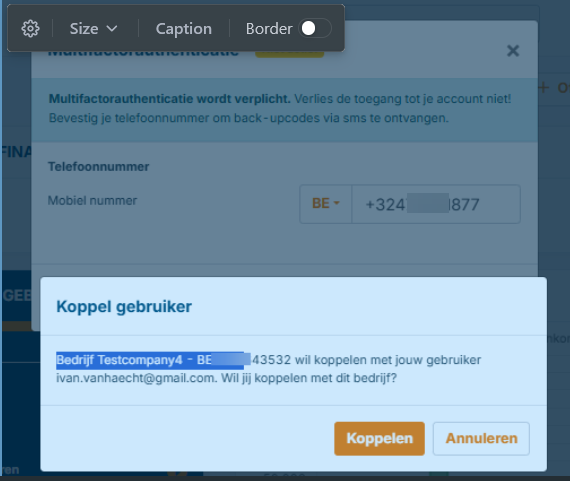
Confirm Linking to the company. No obligation to confirm mobile number or activate MFA:
The user is now active. Perform the identity validation.
Verification Termined - deactivate User
When the verification is terminated, you might not be required any more to keep the user active. You can then go to the Settings / Users and deactivate this user. When the user is deactivated the same day, no licence cost is charged.
Updated 10 months ago