
View E-Report Info in Billit UI
Example of Screen layout
Start screen:
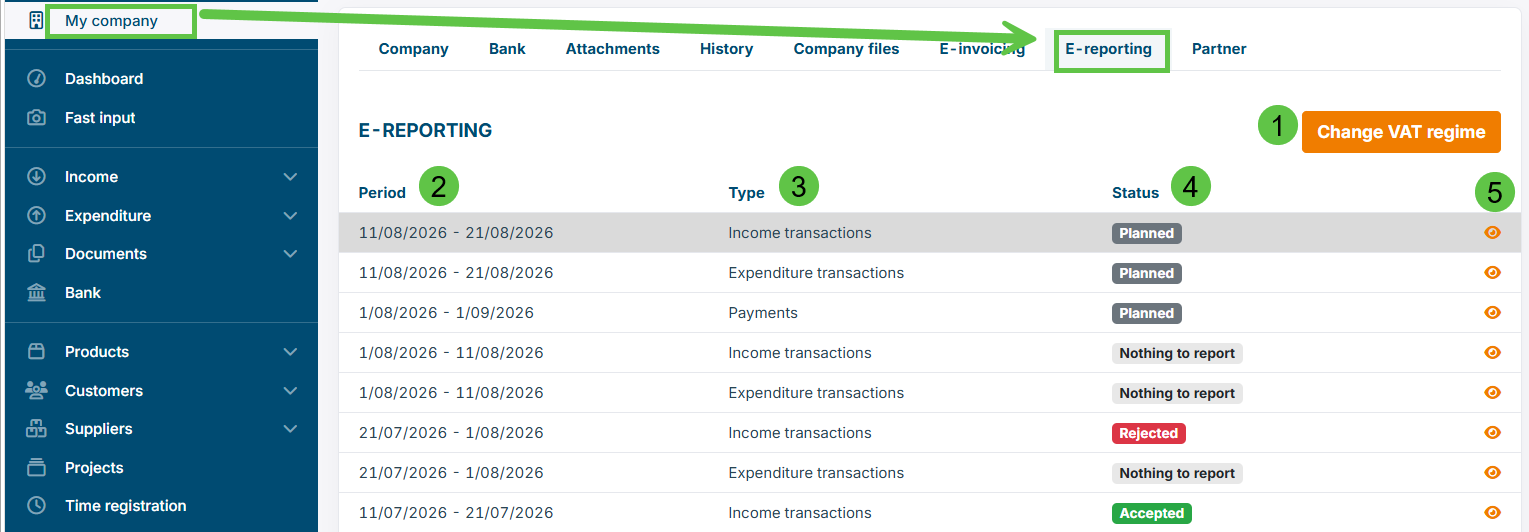
Extra info:
- Set the correct VAT regime. When you have set this, e-reporting will become active.
- This is the e-reporting period, invoices with invoice date will be included. It is not the date of submittal of the e-report, that is later.
- The type of the e-report, it is Income Transactions, Expenditure Transactions, Payments.
- The status. Planned is for the upcoming e-report, Nothing to e-report is when there is not transaction of payment in that period, Rejected is a Reject by PPF, Accepted is accepted by PPF.
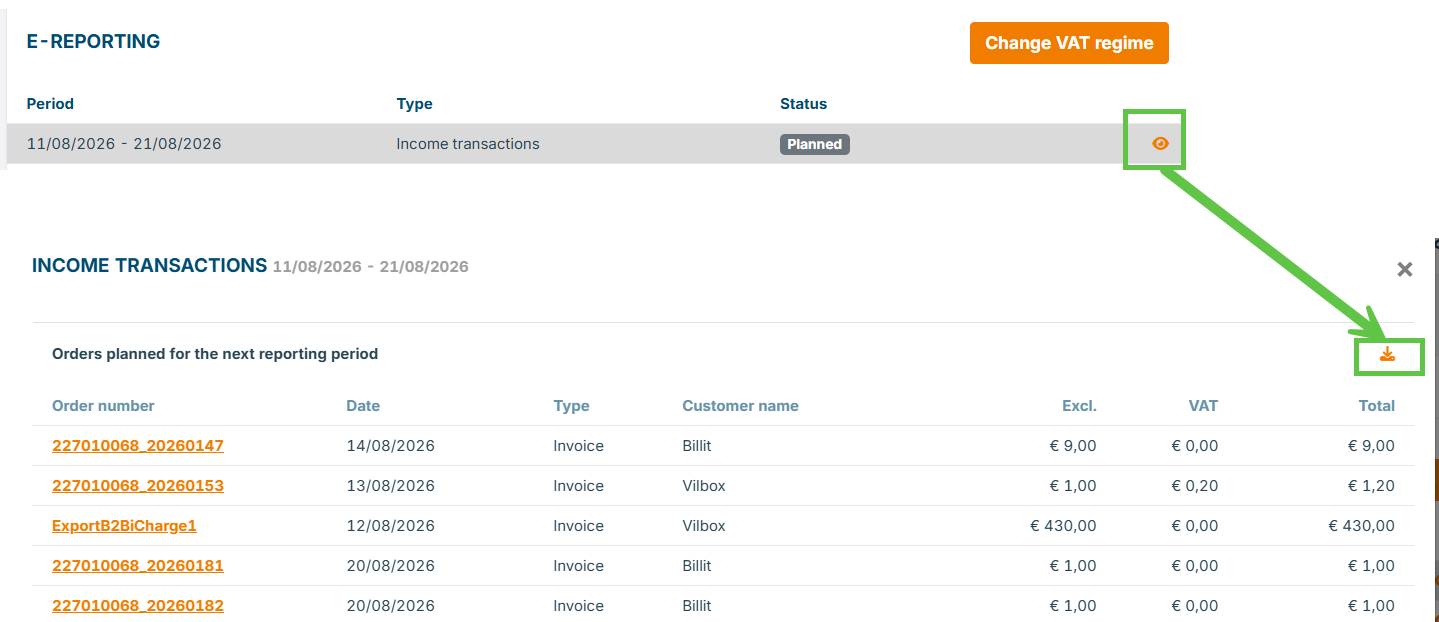
View your Virtual (planned/upcoming e-report):
You can go to detail screen with the invoices part the virtual e-report. This virtual e-report can be downloaded.
Details of an Accepted E-report:
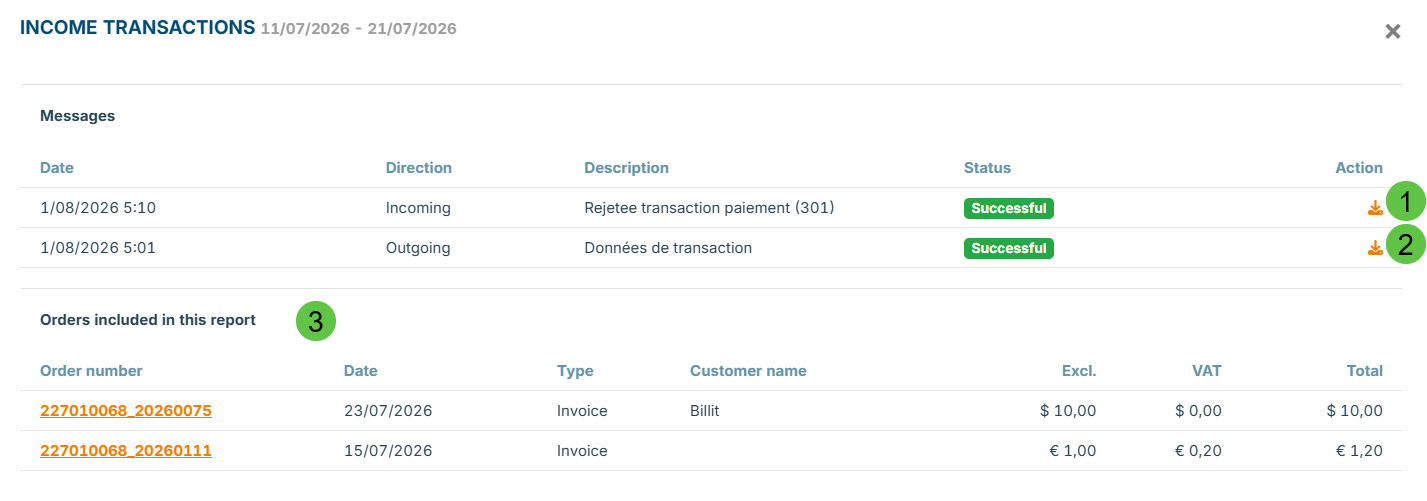
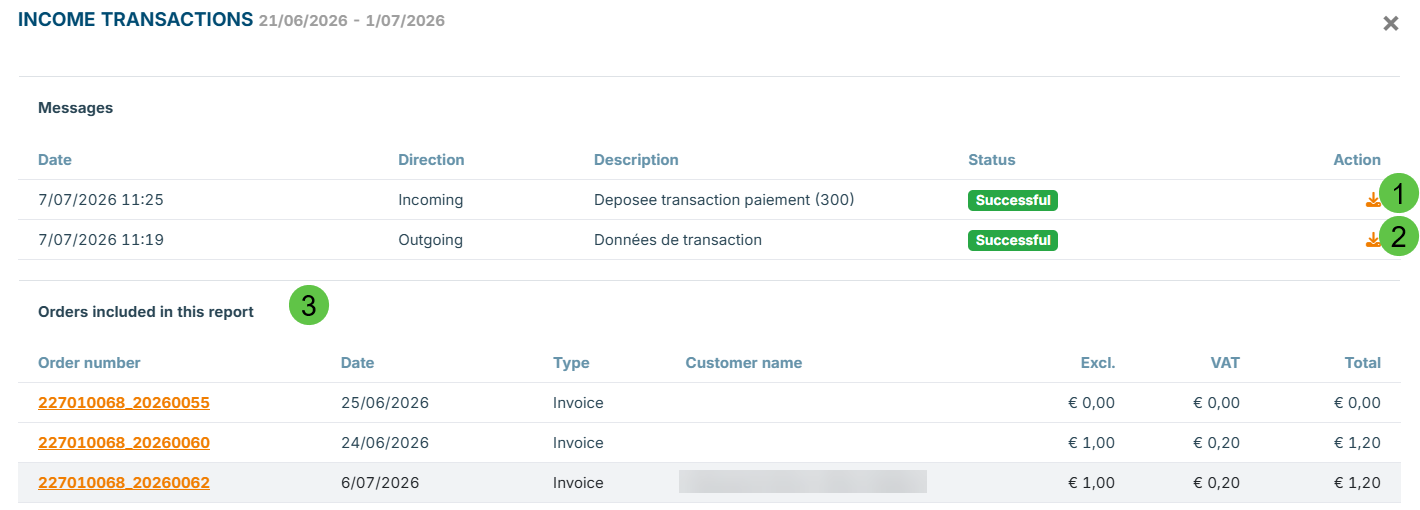
Extra info :
- Feedback file from PPF, can be downloaded.
- The e-report file that has been submitted to PPF
- List to the invoices in Billit that are included in the e-report. Via the link you can go directly to the invoice details in Billit.
Updated 2 months ago
Did this page help you?