
Setup Companies and Integration for France
Read this information carefully before setting up
Step 1 : Company Creation
Create French company in Billit.
- Set the country code to France first
- Fill in the identifiers: (more info : https://docs.billit.be/docs/identifiers-france-pa)
- Typically this will be 2 identifiers: VAT-number and Siren. Example below.
- Do not fill in CTC : it will be generated later by Billit when you create the integration
- Siret :
- If you add Siret, then this will be included in the CTC.
- Recommended is only to add Siret when you have multiple Siret numbers as invoice to address.
- If you want to check your Siret numbers : https://facturation.chorus-pro.gouv.fr/annuaire/authentification/connexion
- Below the most typical situation: VAT and Siren:
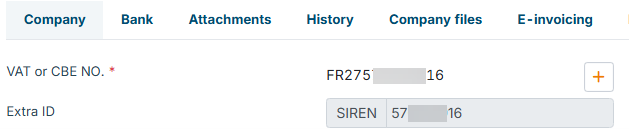
- Fill in other missing data, such as company name, invoice address, bank account, etc.
Overview in My billit :
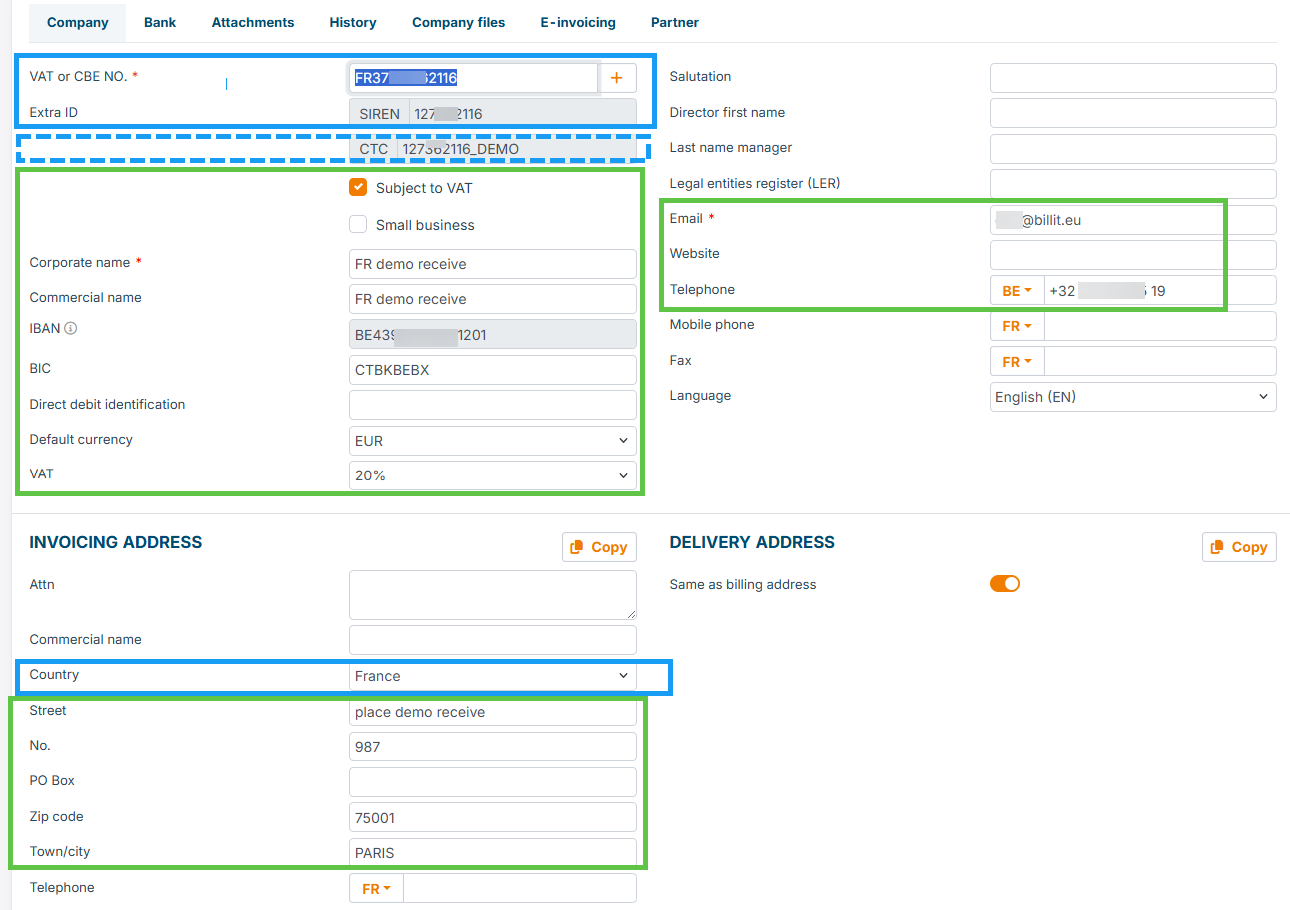
About colour codes:
- blue line : minimum data to start with
- green line : extra info, can be added as a second step
- blue dotted line : will be added by Billit when the integration is created (see next step)
Make sure the company gets verified before going to step 2. More info : https://docs.billit.be/docs/annuaire-and-peppol-registrations.
Step2 : Configure the Integration for France
For use in France the specific integration tile must be set up.
You can search the integration tile :
| Language | Title of the integration tile |
|---|---|
| English | Electronic invoicing in France |
| French | Facturation électronique en France |
How to find:
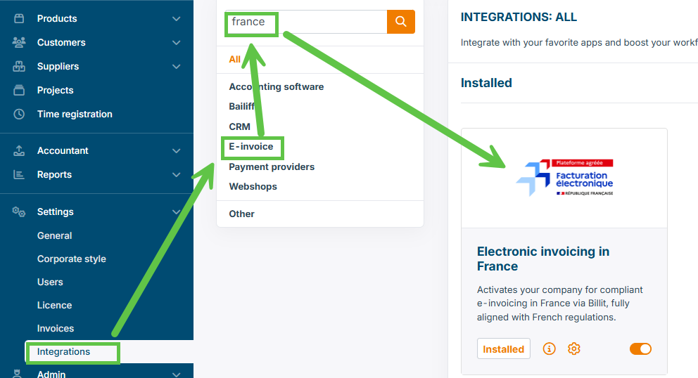
Fill in the integration:
| Field | Info | Mandatory | Method |
|---|---|---|---|
| Start date | If you want to start immediately, select the next day | Yes | User selection |
| Siren | Automatically filled if present in MyCompany | Yes | Generated by Billit |
| Siret | Automatically filled if present in MyCompany. We recommend not to fill in Siret in MyCompany if not needed. When you are in the Annuaire with multiple Siret numbers for one Siren, then Siret will be needed. | No | Generated by Billit or user fill in |
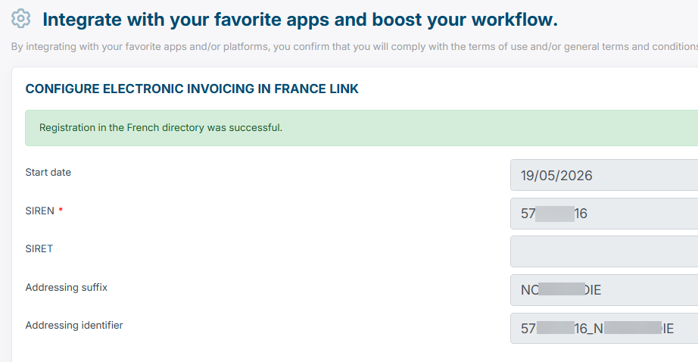
| Adressing suffix | This is optional ifnormation for generating the CTC. This is following guidelines of the French Authority : Siren + Siret + Suffix : If left empty, Billit will generate automatically from Siren. If you add info, this will be added to the CTC. CTC is the primary identifier. | No | User fill in |
| Adressing Identifier | This is the full CTC compliant with guidelines (Siren + Siret + optional Addressing Suffix) | Generated by Billit |
Result after saving (Example) :
Start date:
- When you want to start ASAP : set the start date to the next day (not today, not in the past).
- When you want to start later : set a later date.
When will the integration we active ?
- The integration will be active the next day.
Below Examples of your CTC:
| Example CTC result | |
|---|---|
| Scenario 1 : only Siren for CTC (adressing suffix is left empty) | 227010068 |
| Scenario 2 : Siren + Siret for CTC (will be generated automatically when Siret is filled) | 227010068_22701006812345678 |
| Scenario 3 : Siren + Siret + Suffix | 227010068_22701006812345678_XUZ999 |
Impact on French Annuaire per environment:
| Environment | |
|---|---|
| Sandbox | Simulated, no real integration on annuaire (except for pilot customers) |
| Production | Real Annuaire Integration |
Automatic Step 3 : Registration on Peppol
Automatic process:
- You do not have to do fill in the Peppol registration integration tile
- This integration tile will be made active when Step 2 is executed (the next day at 10 a.m.)
You can check the result at that moment and adjust if needed. Below details how to find it.
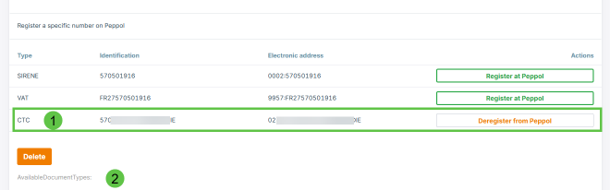
In My company, go to E-invoicing:

Identifiers:
- Minimum the CTC must registered: (if you have multiple companies with same VAT/Siren, then always limit to CTC)
- Other identifiers can be registered / unregistered
Timing of the registrations:
| What | Billit activity - Production Environment | Sandbox environment |
|---|---|---|
| Annuaire | Billit will automatically register on the French Annuaire. This will be effective next business day around 10 am CET. | Annuarie integration is simulated (except pilots) |
| Peppol | Registration on Peppol will be automatically executed when Annuaire registration is ready. | Peppol integration will be effective immmediately |
Updated 2 months ago
Did this page help you?